

Costs and limits
Cost is calculated from configured rates
Section titled “Cost is calculated from configured rates”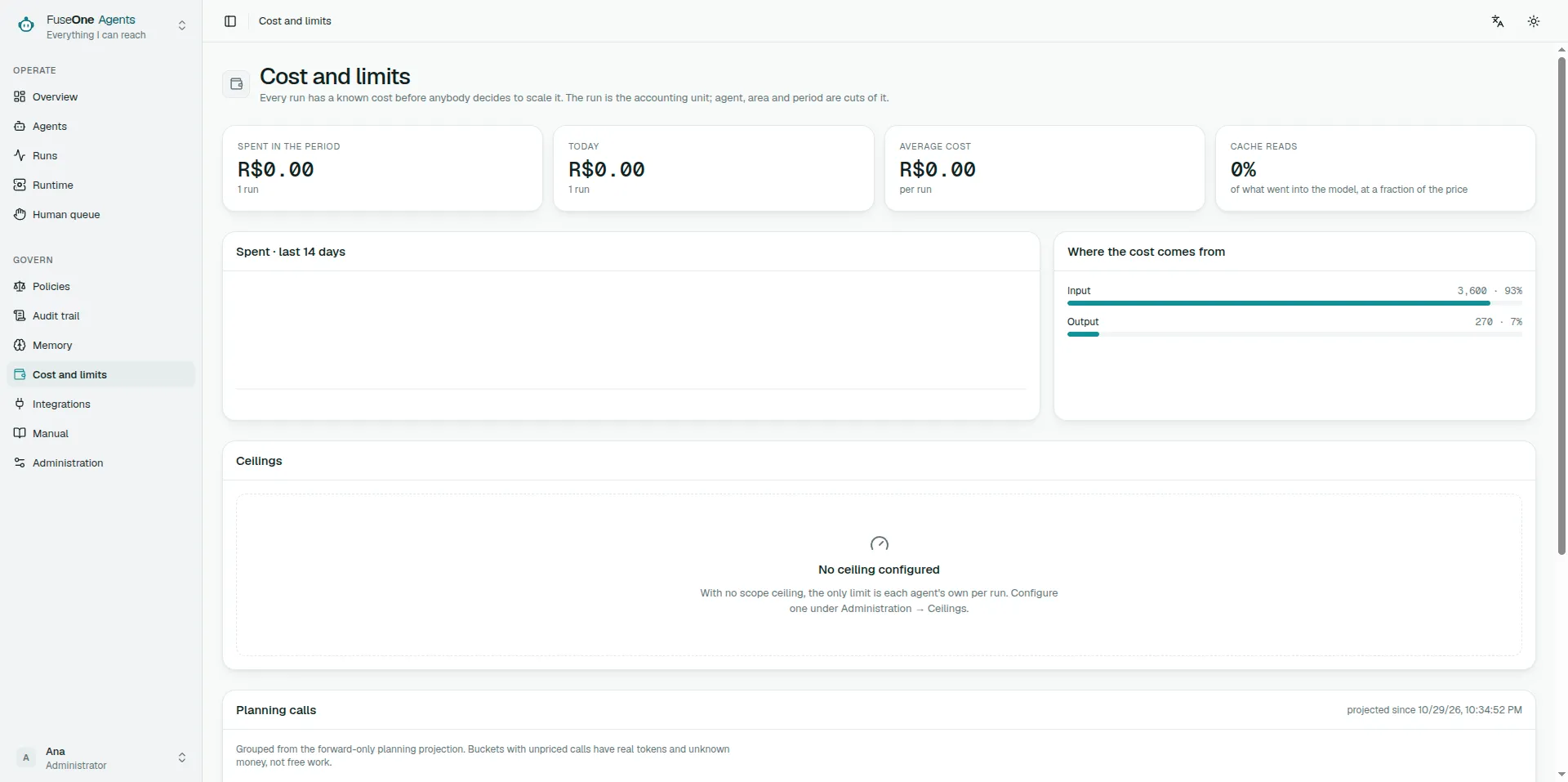
The platform counts tokens in each run. To turn tokens into money, the installation needs a configured rate for the provider/model pair the run used.
Market prices shown on the screen are references. They help an operator fill the form, but they do not count toward ceilings until saved as installation rates. This avoids adding market USD inside an installation configured in BRL, EUR or another currency.
Why a run can show zero cost
Section titled “Why a run can show zero cost”A run with tokens and zero cost usually means one of these:
| Symptom | Reading |
|---|---|
| Tokens appear, cost $0.00 | No configured rate for that provider/model |
| A ceiling blocked, but cost is zero | The ceiling may be steps, calls or duration, not money |
| A rate was created and an old run stays zero | History is not repriced |
| A rate was created and a new run stays zero | The worker has not loaded the revision, or provider/model do not match exactly |
The model name must match what the run uses. claude-opus-5 and
claude-opus-5-20260801 are different prices if the provider records
different names.
Currency
Section titled “Currency”The installation currency says how stored values and configured rates are rendered. Changing the currency does not convert history. It changes how numbers are read.
Do not use currency changes as financial conversion. If the installation moved from BRL to USD, review ceilings and rates explicitly.
Ceilings
Section titled “Ceilings”A run can stop on four families of limit:
- money;
- tokens or estimated cost;
- number of tool calls;
- steps or duration.
When the Gate blocks, read the event sentence. It says which ceiling was hit: money, calls, steps or another limit. Configuring prices fixes only the financial ceiling; it does not raise the step limit.
Reservation and reconciliation
Section titled “Reservation and reconciliation”Before spending, the platform reserves the estimated cost. After the call, it reconciles with the real cost and releases the rest.
This is about time, not neat accounting: if the platform counted only after the call, twenty workers could open calls at the same time before any of them recorded cost.
Cache reads and cache writes
Section titled “Cache reads and cache writes”Some providers charge cached input at a lower rate. The screen separates input, output, cache read and cache write because they do not cost the same.
Even when cache read is cheap, it is still consumption. A good optimisation is one that appears in accounting, not one that disappears from it.
Every model provider receives the same bounded transcript, canonical call identity, state-aware memory guidance and no-progress supervision. FuseOne also keeps stable instructions and the previous ledger-derived transcript reusable. Every provider receives the same stable per-step guidance, memory rules and fixed run ceiling. Anthropic marks that prefix with explicit cache breakpoints and additionally places the changing remaining budget after the cached transcript. OpenAI-compatible providers omit that per-turn remainder because their automatic cache requires an exact common prefix; the deterministic Gate still enforces the same ceiling. When result bytes cross the transcript budget, FuseOne replaces a completed generation with receipts at once. That starts one new bounded prefix and keeps it stable until the next generation crosses, instead of moving the receipt boundary on every turn. Providers without prompt caching still benefit from fewer calls and fewer replayed bytes. Reported cache read and cache write tokens remain visible in the run and in low-cardinality worker metrics.
Completed read calls may poll the same arguments again because the source can change. Writes, equivalent governed-memory lookups and calls with an unknown outcome after a worker restart remain idempotent. Three successful reads of the same tool that return the same complete digest still park the run before a fourth model turn, even when the arguments were identical.
Finding what made the prompt large
Section titled “Finding what made the prompt large”The run trail shows prompt content on each model proposal: instructions, input, platform notes and tool results.
Those figures are content bytes, measured by the platform while it builds the model request. They are not tokens and they are not cost. Tokens and money still come from the provider usage report and the configured installation rate.
Use this line to choose the next optimisation. If tool results dominate, reduce or summarise that tool’s output. If instructions dominate, rewrite the agent blocks. If input dominates, route less context into the run.
Large channel inputs are also compacted before they reach the model. The full ask remains in the content store and trail; the model receives valid JSON with long fields shortened and a separate platform note with the stored size and a digest. This is most visible when a Slack alert or thread carries a large payload before the agent has called any tool.
Large Grafana Loki and Prometheus results, GitHub review material and Outline fetch, list and search results are compacted before later model turns. The full result size and digest remain in the run trail; the content store keeps its bounded copy under the installation content limit. The model receives a compact view with the beginning, the end, the original size and the digest.
There is also a total tool-result transcript budget. Recent evidence is kept; older results become explicit receipts naming the tool, original result size, digest and omitted bytes. A receipt never means the content was absent, and it does not delete the stored copy. It tells the model to make another call only when it can materially narrow the query.
Worker metrics expose aggregate prompt result bytes with sent and elided
dispositions, provider cache tokens with read and write operations,
canonical duplicate skips and stalled investigations. They deliberately omit
run, agent, tool, user and query labels; tool attribution stays in each run’s
trail.
Configuration checklist
Section titled “Configuration checklist”- Configure the installation currency.
- Check the provider/model shown on the run.
- Open Cost and limits and create a rate for that exact pair.
- Use the market price as a reference, not as an automatic value.
- Run a new run.
- If cost is still zero, check whether the worker loaded the revision and whether the model name matches exactly.
The cache prefix window
Section titled “The cache prefix window”An agent’s instructions and tool schemas are a stable prefix the provider can cache. By default the cache lives five minutes: plenty inside one run, gone before the next hourly one, so an agent triggered on the hour re-writes its whole prefix every run — and cache writes are the expensive class.
An agent definition may choose the longer window in its frontmatter:
cache_prefix_ttl: 1hThe hour window doubles the write rate but lets the next run read the prefix back instead of re-writing it; for an agent that runs at least once an hour the write happens once and the rest of the day reads. Only the stable prefix is affected — the conversation itself keeps the short window, because it changes every run and caching it longer is money for tokens never read again.
Leave it unset for agents triggered ad hoc or less than hourly: they would pay the doubled write and never collect the read. The value is part of the published definition, so changing it is a new version like any other edit.
The hour window has its own write rate on the prices screen — “cache write 1h” — because the provider bills it above the short window’s. Configure it when any agent uses the hour window; left empty, hour writes bill at the short rate, which understates them.