

MCPs and credentials
The catalogue is a recipe, not a connector
Section titled “The catalogue is a recipe, not a connector”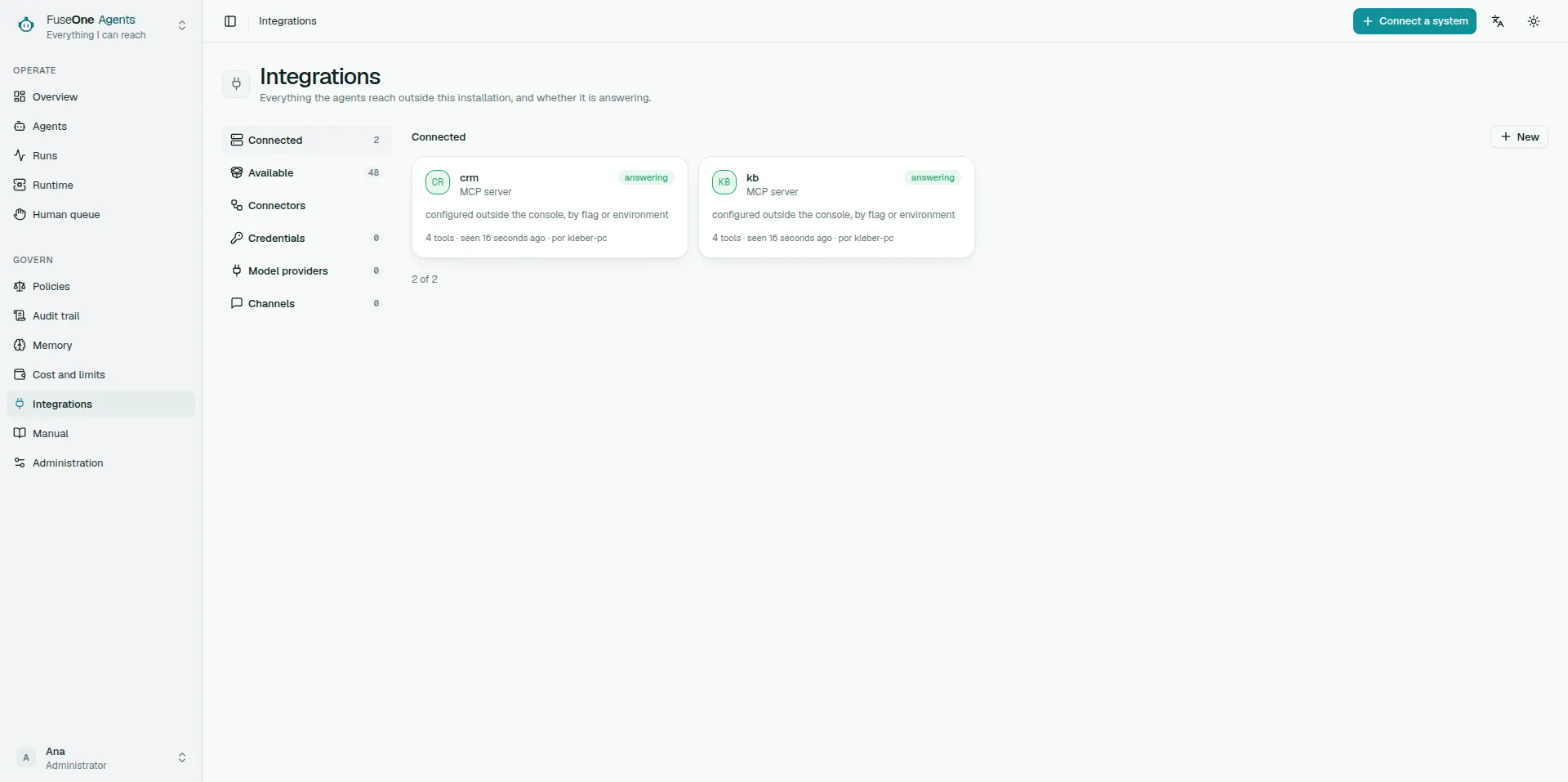
A recipe says how a server is usually reached, which credentials it expects and which tools its documentation publishes. It is not endorsement and it does not apply trust by itself.
Connecting does not classify. Classifying does not bring a tool into the surface. A credential does not narrow reach. They are three different decisions.
Transport
Section titled “Transport”| Transport | When to use it | Care |
|---|---|---|
| Remote HTTP | Preferred in production | The platform sends only the configured credential |
| Local stdio | Useful for development or servers with no remote option | Runs as the worker, inside the worker container |
A stdio server does not inherit the worker environment. It receives only the platform allowlist and the variables configured for it. If it needs a file, the platform seals the content, materialises it in a 0700 directory with a 0600 file, and removes it when the process stops.
Surface
Section titled “Surface”The surface says which tools from this server exist for this installation. Outside the surface a tool is not forbidden: it does not exist for agents.
A new tool on a server with a chosen surface starts outside the surface. That is the safe behaviour: novelty does not enter reach by accident.
Classification
Section titled “Classification”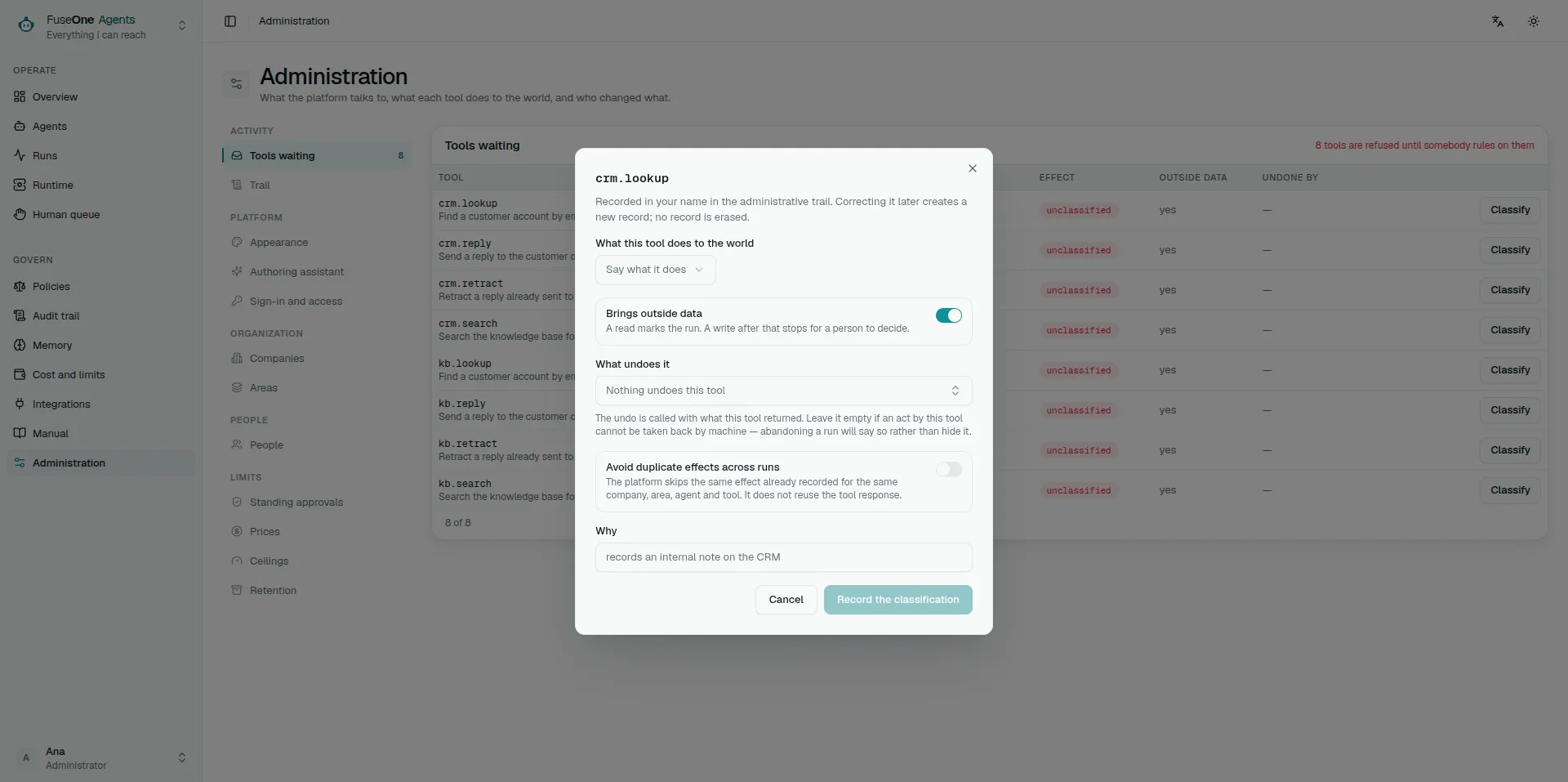
Each tool needs a Curator decision:
- effect: read, write, destructive or financial;
- whether the result is untrusted;
- which tool compensates it, when one exists.
The decision carries the digest of the definition that was judged. If the server changes a tool’s schema or description, the old decision becomes stale and the Gate refuses until a fresh review.
The catalogue follows what the servers offer. Each successful discovery is the whole answer for its server: a tool the server no longer lists leaves the catalogue, and the publish check stops accepting it. Deleting or switching off a server removes its tools too. A decision is kept when its tool leaves, so a tool that comes back with the same definition needs no fresh review.
A server that cannot be reached keeps the tools its last successful discovery recorded: unreachable is not evidence it stopped offering them. After narrowing what a server offers — a smaller toolset, a different account — check that it shows as reachable before trusting a publish.
A server started with the worker’s --mcp flag is not in the configuration,
so there is nothing to delete or switch off. Its tools stay while any worker
runs it, and leave within about three minutes of the last worker stopping — restarted
without the flag, or gone. One worker dropping the flag does not remove tools
another worker still serves. Decisions are kept here too.
Installation credential
Section titled “Installation credential”Use an installation credential when the server acts as a service account: discovery, health checks, probes and tools that do not represent a particular person.
That credential is shared by every run that uses the server in that mode. If the token reaches the whole account, the platform cannot narrow it; surface and classification only control what agents may try.
Personal credential
Section titled “Personal credential”Use a personal credential when the server expects user authority: Google Workspace, Slack OAuth, personal GitHub, Atlassian and similar cases.
The credential is sealed by server and principal. A run can use it only when
it carries OnBehalfOf for that principal. Scheduled runs have no person; if
the recipe says the credential is personal, they stop instead of falling back
to the installation credential.
GitHub App
Section titled “GitHub App”A GitHub server can authenticate as a GitHub App instead of with a token. The server then acts as the App, not as a person: what it may do is the App’s permissions and the repositories its installation was given, and comments and reviews it writes are signed by the App.
What to configure, in the server’s credential panel or when connecting from the catalogue:
| Field | What it is |
|---|---|
| App id | The number on the App’s settings page |
| Installation id | The installation of that App on the organisation or account |
| Private key | The .pem generated in the App’s settings, pasted or uploaded |
| Repositories (optional) | Narrows each token to these repositories; blank means everything the installation was given |
| API base URL (optional) | Blank for github.com; https://HOST/api/v3 for GitHub Enterprise Server |
| Toolsets (optional) | Sent as X-MCP-Toolsets, for the hosted GitHub MCP server |
The key is sealed in the vault. Once saved, the screen only says that a key is configured, and leaving the field blank keeps it. The administration trail records that the App credential changed, never the key.
The worker turns the key into installation tokens: it signs a short-lived JWT, exchanges it with GitHub for a token, keeps that token in memory only and replaces it five minutes before it expires. When minting fails, the worker keeps a token that is still valid, and waits 15 seconds before asking GitHub again, so a GitHub outage does not become a flood of requests. A failure shows the server as unavailable with a fixed reason — key refused, installation not found, repository outside the installation — that never carries the key or the token.
Rules that hold while the App is set:
- HTTPS only. The server URL and the API base URL must be
https://; plainhttp://is accepted only to loopback (localhost,127.0.0.1,::1). Every request carries the App’s JWT or its token. - No redirect carries a secret. Minting does not follow redirects, and an MCP redirect to another scheme, host or port is refused before a token is attached.
- The App is the identity for everyone. No personal credential is looked up for the server, and the screen refuses to save one. If a policy requires a personal credential for this server’s tool calls, those calls are refused, because the App cannot satisfy it; discovery still runs as the App.
- Headers configure, they do not authenticate. Beside the App, only the
hosted GitHub server’s documented configuration headers are accepted, in any
letter case:
X-MCP-Toolsets,X-MCP-Tools,X-MCP-Readonly,X-MCP-LockdownandX-MCP-Insiders. The hosted server needsX-MCP-Toolsetsto offer more than its default sets, andprojectsis not in them. Any other header —Authorization, an API key, a cookie — is refused when saved, and the runtime drops it from a row stored earlier, so nothing but the App’s token identifies the request. - Removing the App removes its headers. The headers that sat beside it go with it; they never turn into a header credential of their own.
Authentication shapes
Section titled “Authentication shapes”The catalogue declares the shape, but the runtime sends only what was configured.
| Shape | What to configure |
|---|---|
| Bearer | Simple token |
| Header | One or more exact headers required by the server |
| OAuth | Access token, refresh token, token URL, client id and secret |
| GitHub App | App id, installation id and private key (above) |
| Basic | Ready-made header, when the server expects Basic |
| DSN | Connection string |
| Env | Variables for stdio |
| Config file | Sealed document materialised in the worker |
Do not fill two shapes at the same time. The screen refuses that so a person does not configure one thing while the runtime sends another. The one combination allowed is a GitHub App with configuration headers beside it, and only because those headers cannot carry a credential.
Give each header once. HTTP header names ignore letter case, so
X-MCP-Readonly and x-mcp-readonly are the same header: the screen refuses
both spellings together, and a server whose stored headers have them sends no
request at all rather than a value that changes from one request to the next.
Result cache
Section titled “Result cache”A server can cache successful read-only results for a short TTL. Use it for stable, repeated reads such as “list datasources” or “fetch the same runbook”, not for data that must be fresh on every call.
The cache lives in each worker process, not in a shared store. With two workers, either worker may miss until it has seen the same read. A cache hit still writes a fresh content reference for the current run and the trail says which earlier run and step supplied the bytes.
The cache key includes the tool definition, arguments, scope and OnBehalfOf.
That keeps a personal credential result with the person who produced it.
Quick diagnosis
Section titled “Quick diagnosis”- Server is “answering” but a tool fails with personal credential: configure the credential in Credentials for the user that started the run.
- Tool is classified but the Gate refuses: check stale digest or whether the tool is outside the surface.
- HTTP MCP fails on protocol: set the server protocol mode to legacy when the recipe or server requires it.
- stdio does not start after an upgrade: explicitly accept local execution.