

Your first agent, end to end
The example
Section titled “The example”We are going to build an agent that answers infrastructure questions in Slack: somebody mentions it in a channel, it queries metrics and logs, and it replies in the thread.
It is a good first case because it only reads. You get to see the platform working without risking anything — and then you see what changes when it needs to write.
1. Connect the tools
Section titled “1. Connect the tools”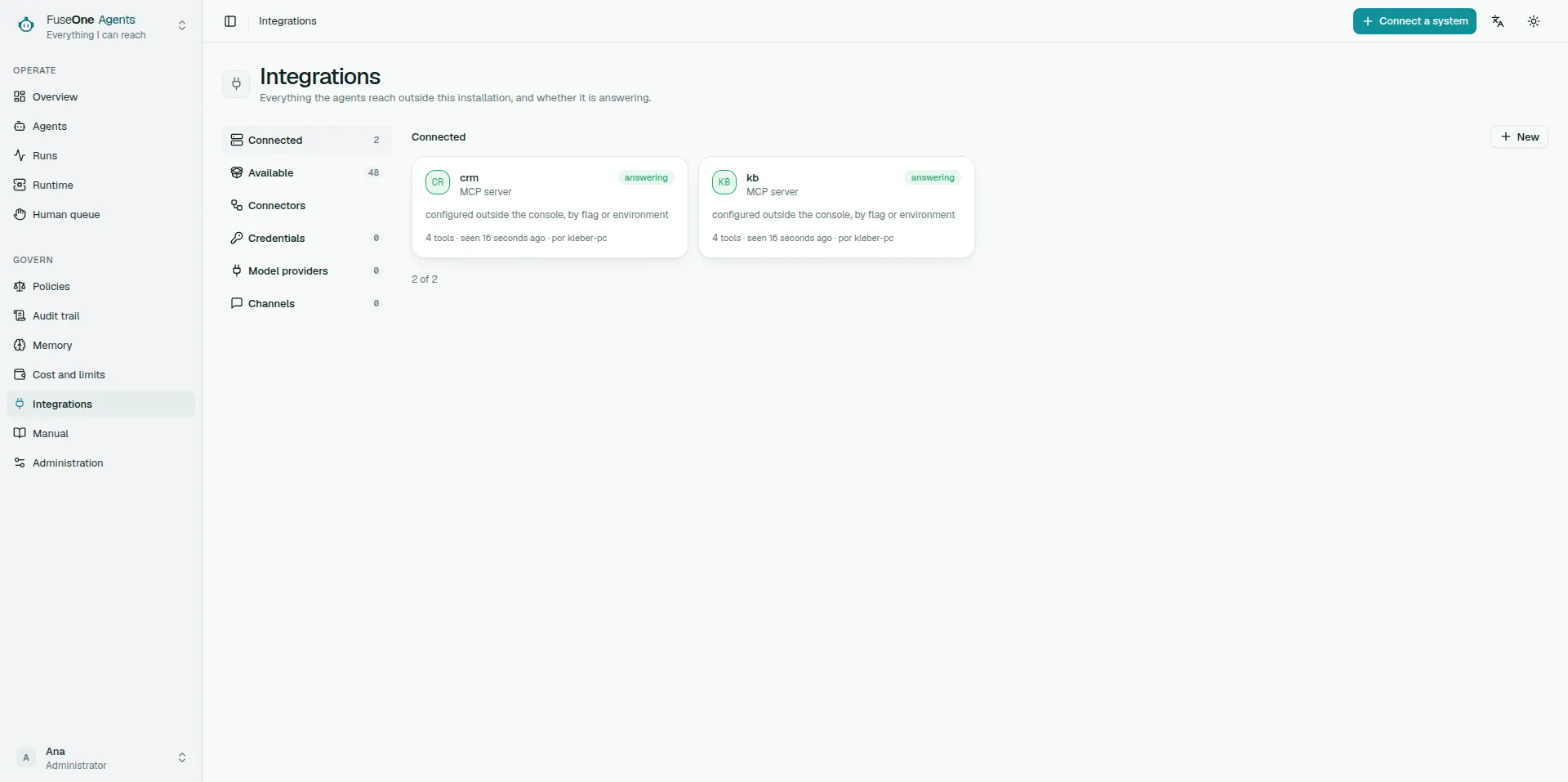
In Integrations, connect the MCP server that reaches your metrics and logs.
On connecting, the platform discovers the tools it offers — and none of them work yet. That is deliberate, not a failure.
Details in MCP servers and credentials.
2. Classify what each tool does
Section titled “2. Classify what each tool does”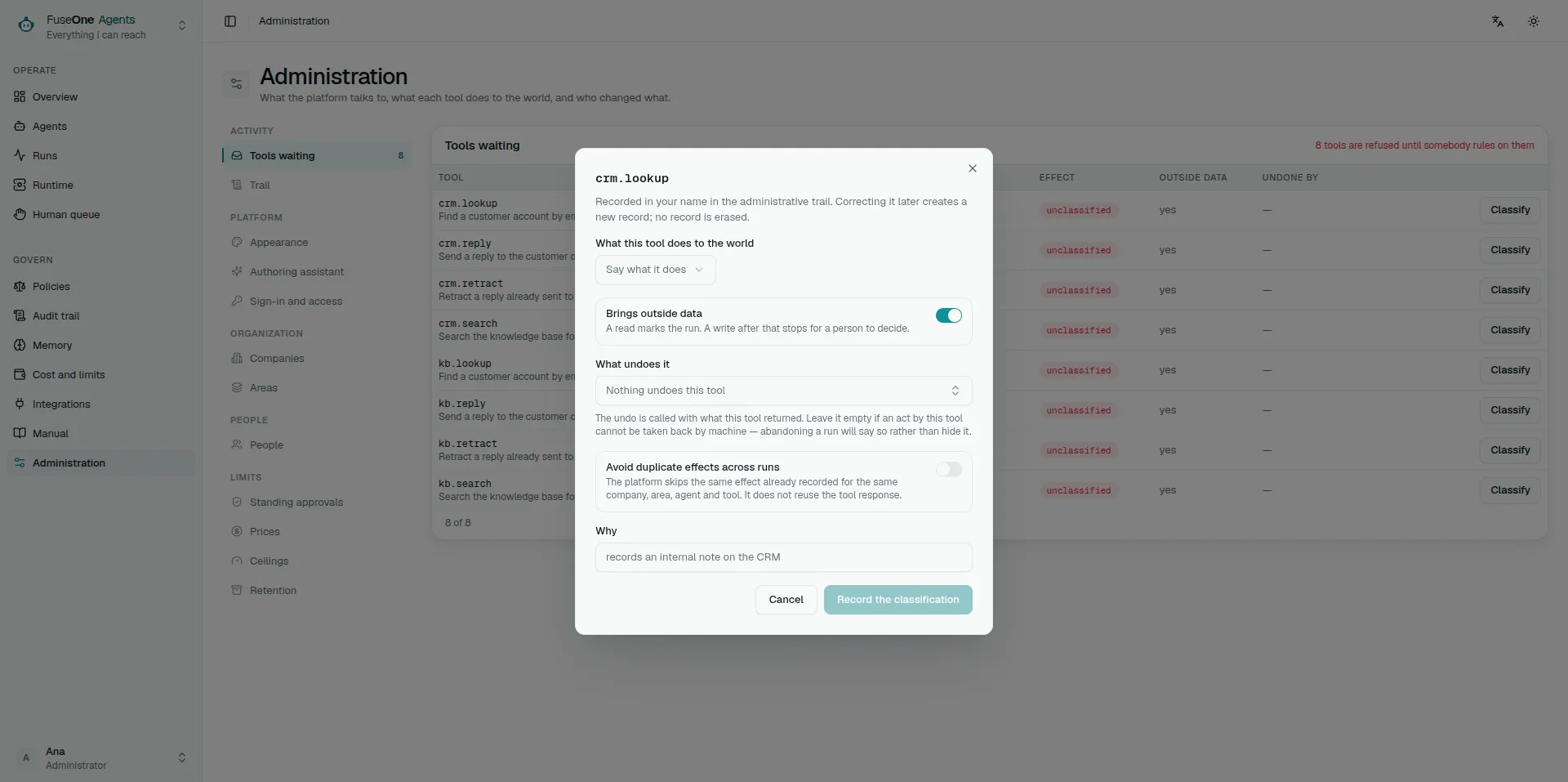
Still in Integrations, say what each tool does to the world: read, write, destructive or financial.
The platform does not guess from the name. Somebody has to decide, and that decision is recorded with whoever made it.
In our case, querying a metric or a log is read. While the agent only reads, it will never stop asking for approval.
The ladder is in What the platform stops before it happens.
3. Write the agent
Section titled “3. Write the agent”In Agents → New, describe the work in your own words. The platform turns that into the seven fixed parts, and you review them before a draft is generated.
The parts that matter most here:
- Objective — answer infrastructure questions from metrics and logs.
- How to act — query before answering; never answer from memory.
- Never — do not invent a number that did not come from a query.
- When to stop — if the question is not about infrastructure, say so and stop.
Choose the tools it reaches. Only the ones it needs — reach is capability, and text saying “do not use X” does not remove X.
How to write well is in Writing good blocks.
4. Rehearse
Section titled “4. Rehearse”Before publishing, use Rehearse. Pick situations — real questions that already came up work well — and run it.
Tools stay dry: nothing is sent to or changed in an external system. But the model calls are billed, so a rehearsal is not free.
Look at the situations marked needs a look. If the Gate refused something, that is what you wanted to find out here rather than in production.
5. Publish — and it starts stopped
Section titled “5. Publish — and it starts stopped”Publishing creates a version and switches nothing on. The agent starts in draft and paused.
Unpause it and leave it in draft while you are still adjusting.
6. Connect the channel
Section titled “6. Connect the channel”In Integrations → Channels, connect Slack and configure the conversation for the channel the agent will work in.
To start, use mentions: it only answers when somebody calls it. That is the most predictable mode.
Details in Slack and channels.
7. Copilot, and watch
Section titled “7. Copilot, and watch”Promote to copilot and let it run with people using it.
Because the agent only reads, almost nothing will stop. What you are watching for here is different: is it answering well? Open a few runs and read the trail — the path it took, how many queries, what it cost.
How to read one is in Reading a run.
8. When it needs to write
Section titled “8. When it needs to write”Sooner or later somebody will want it to open a ticket rather than only answer.
That changes everything, and this is where the platform gets interesting:
- The ticket tool is a write, so every call stops and waits for approval.
- If the agent read a ticket’s text first, the write stops even when autonomous — content from outside carries a mark.
- You approve the first ones, reading the arguments, and learn what it does.
How to decide is in Approving an action.
9. Before autonomous, write the policy
Section titled “9. Before autonomous, write the policy”When approvals have become routine without surprises, do not promote yet.
First write the policies that would hold whatever worries you — escalating every write outside business hours, say — and turn them on in monitor mode. Let them run and see whether they match where you expect.
Then switch them to enforcing, and only then promote to autonomous.
Because after autonomous policy is the only thing holding: there is no longer a human reading each write behind it.
The stages are in Draft, copilot and autonomous, and writing the rule is in Policies.
What you learned along the way
Section titled “What you learned along the way”That the platform refuses by default at every point: a discovered tool does nothing, a published agent starts stopped, a write waits for a person, content from outside marks the run.
None of those refusals is a defect. Each one is where somebody decides — and that decision is on the record.